Feature · Automations
The admin that runs whether you're thinking about it or not.
Quote follow-ups, overdue notices, draft-invoice nudges, payment receipts, review requests — each one a switch with its own timing, and each one honest about what it will do.
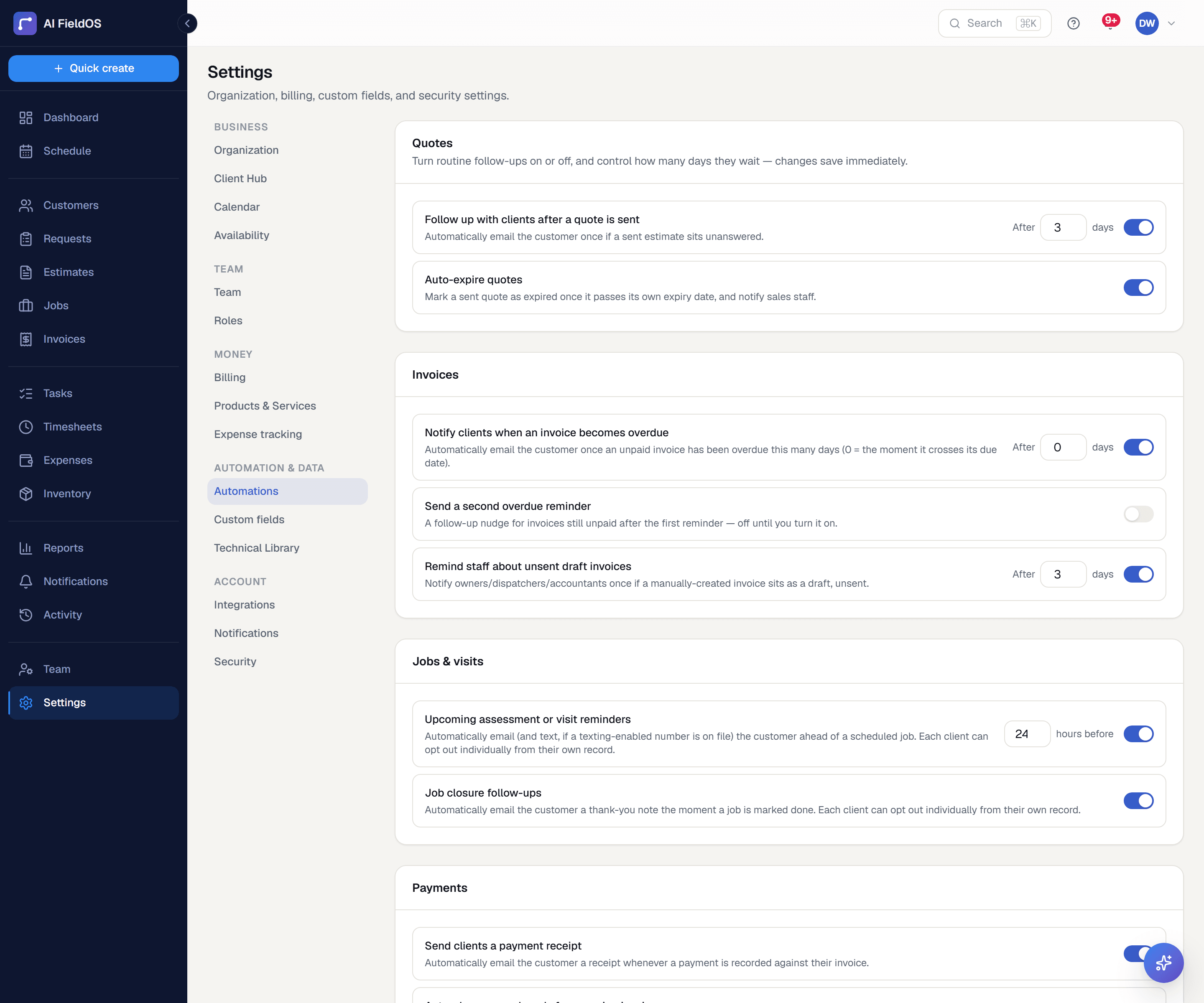
What you get from automations
Every automation is a deliberate choice
Nothing here is on by default just because it could be. Review requests are off — asking customers for reviews is a marketing decision an owner makes, not one we make for them.
Turning things off is treated seriously
Disabling the overdue notice asks you to confirm every single time, because it's the one toggle with a direct cash-flow consequence. Other switches just flip.
Some things deliberately aren't toggles
Sending a quote or invoice for the first time can't be turned off — it falls back to SMS when there's no email on file, so disabling the email side would silently break delivery for email-less customers.
Three steps, start to finish
Open Settings → Automations and set what runs and on what timing.
Changes save immediately — there's no separate publish step.
Background sweeps handle the rest, with idempotency stamps so nothing fires twice.
Straight answer
What this doesn't do
Every limit below was checked against the code. We'd rather you find them here than three weeks after migrating.
- No custom rule builder — a fixed set of automations with configurable timing.
- No webhooks and no public API, so automations can't reach systems outside Gruvik.
Common questions
No — this is a set of specific, well-understood behaviours with configurable timing, not a general if-this-then-that builder. Every one of them was a hardcoded behaviour that became configurable.
Ready to run your business on it?
Start a 14-day trial today. No credit card, no sales call, no implementation project.
14 days free · No credit card required · Cancel anytime