Feature · Invoicing
From completed visit to paid invoice, without re-typing anything.
Generate an invoice straight from a job's line items, send it by email with a payment link, and track its full lifecycle — draft, sent, paid, overdue, even voided or written off — in one place.
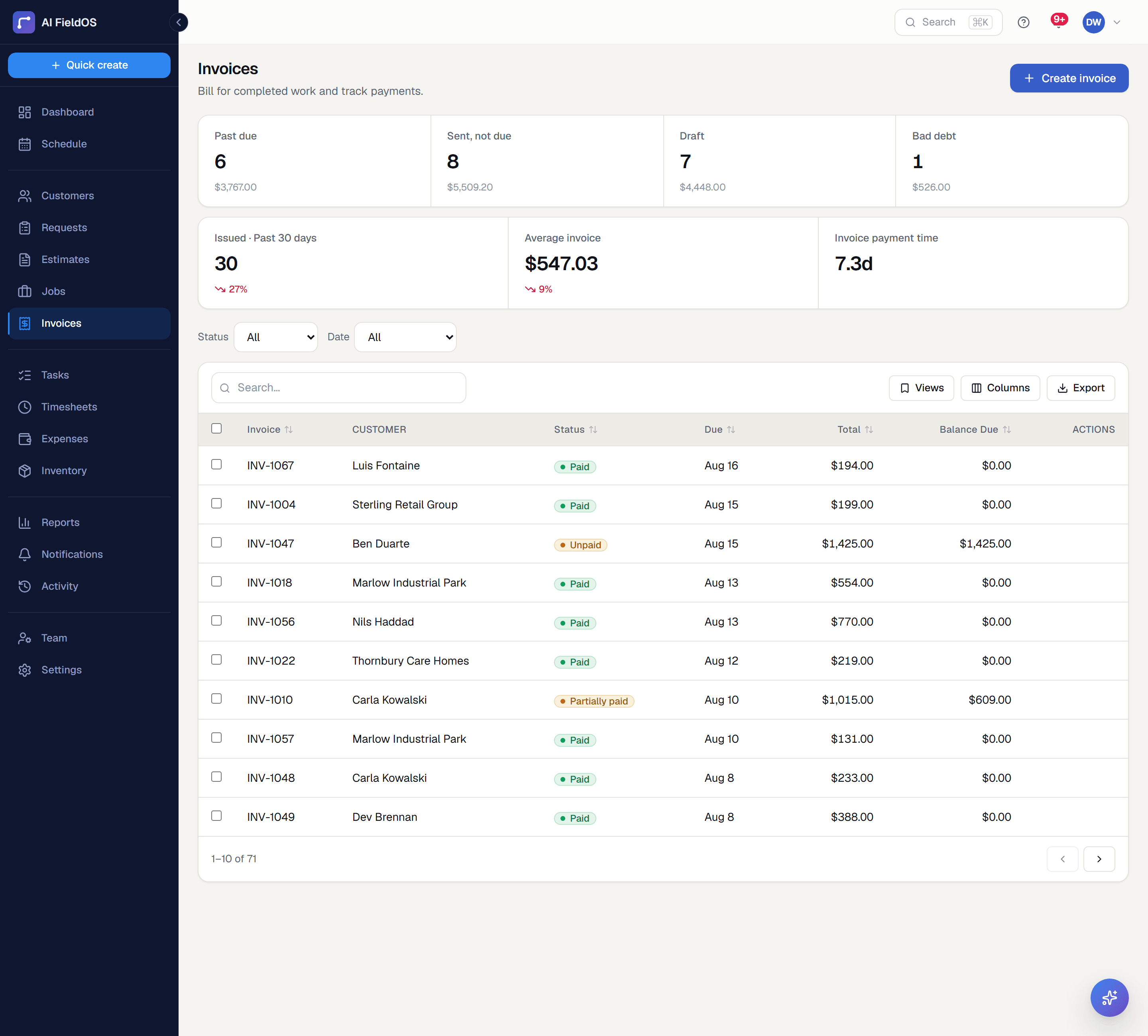
What you get from invoicing
A real invoice lifecycle
Draft, sent, partially paid, paid, overdue, void, and bad debt are all first-class states — including reopening an invoice if something needs correcting after the fact.
Recurring and deposit invoices
Set up a recurring invoice for an ongoing contract, or collect a deposit up front on a larger job — both flow through the same lifecycle as any other invoice.
Get paid faster
Customers pay by card or PayPal from the invoice itself; automatic reminders and optional late fees follow up so you don't have to chase every overdue balance by hand.
Three steps, start to finish
Close out a job's visit, then generate an invoice from its actual line items.
Send it by email with a secure payment link, or collect payment on the spot with Tap to Pay.
Track balance, due date, and status from the Invoices list — with automatic overdue reminders if it's still unpaid.
Straight answer
What this doesn't do
Every limit below was checked against the code. We'd rather you find them here than three weeks after migrating.
- Invoices are always tied to a job — there's no standalone invoice with no work behind it.
- Recurring invoicing is not recurring auto-pay by default; the customer completes checkout each cycle unless they've explicitly saved a card for that series.
Common questions
Yes — invoices include a secure payment link for card payments via Stripe, or PayPal, without the customer needing an account.
Ready to run your business on it?
Start a 14-day trial today. No credit card, no sales call, no implementation project.
14 days free · No credit card required · Cancel anytime