Feature · Team & permissions
Everyone sees their own work, and nothing they shouldn't.
Four built-in roles, granular permissions, custom roles when the defaults don't fit, and per-person availability — all enforced on the server, not hidden in the interface.
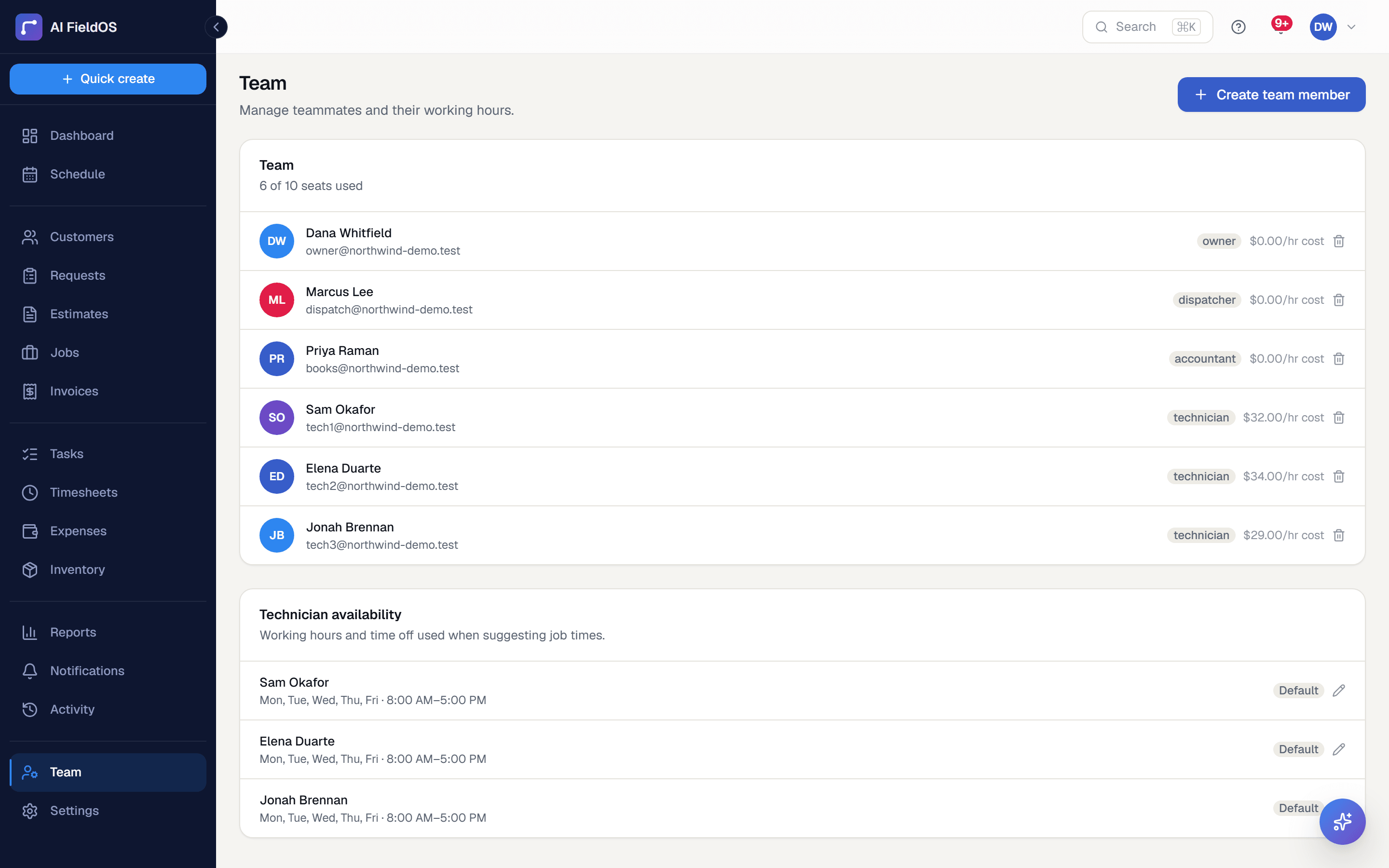
What you get from team & permissions
Roles that match how trades actually work
Owner, Dispatcher, Accountant, and Technician come with sensible defaults. A technician sees their own assigned jobs and their own hours; an accountant handles money without touching the schedule.
Custom roles for the awkward cases
The technician who should also write estimates doesn't need to be made a dispatcher. Build a custom role from the permission catalog and assign it — their base role stays on file, it just stops determining access.
Enforced, not just hidden
Permissions are checked on the server. A role without invoice access can't reach invoice data by any route, not just by not seeing the menu item.
Three steps, start to finish
Invite team members with a role and, if you're costing jobs, an hourly rate.
Set each person's working days and hours so scheduling knows their availability.
Build a custom role if someone needs a combination the four defaults don't cover.
Straight answer
What this doesn't do
Every limit below was checked against the code. We'd rather you find them here than three weeks after migrating.
- SSO is Google-only. No SAML, no SCIM provisioning.
- No multi-location or multi-branch model — one organisation is one business.
- There's a known issue editing the owner's own row in the team modal; use a different route to change owner details.
Common questions
No. Cost, margin, and revenue figures are gated behind the reports permission, which technicians don't have by default. They see their own jobs and their own hours.
Ready to run your business on it?
Start a 14-day trial today. No credit card, no sales call, no implementation project.
14 days free · No credit card required · Cancel anytime